
The next big iPhone app is not always built by a large tech company. Many of today’s successful apps started as simple ideas created by small teams, startups, and even first-time developers. That opportunity continues to grow as the App Store platform generated more than $1.4 trillion in developer billings and sales in 2025, nearly tripling in size since 2019.
If you are searching for a complete iOS app development for beginners guide, understanding the fundamentals is the best place to start. From learning Swift and Xcode to publishing your application on the App Store, the process may seem complex at first. However, with the right approach, building an iPhone app becomes far more manageable. Whether you plan to launch your own product or work with professional iOS app development services, this guide will help you understand how to build an iPhone app from idea to launch.
Why iPhone App Development Still Matters in 2026
The iOS ecosystem continues to attract businesses looking for long-term growth and stronger customer engagement. For anyone exploring iOS app development for beginners, understanding the value of Apple’s platform is essential. With millions of active iPhone users worldwide, businesses continue to invest in iOS app development services to reach audiences that are more likely to spend on apps, subscriptions, and digital purchases.
For startups and established brands alike, iPhone apps provide a direct channel to customers while supporting brand visibility and revenue growth. Many companies choose custom mobile app development services to create unique experiences that match their business goals and customer expectations.
- Strong user loyalty and retention rates
- Higher average consumer spending on apps
- Access to a global App Store marketplace
- Better opportunities for subscription-based revenue
- Trusted security and privacy standards
- Suitable for startups, enterprises, and growing businesses
What is iPhone App Development? Understanding the Basics
iPhone app development is the process of creating applications for Apple’s iOS operating system. For anyone exploring iOS app development for beginners, it involves designing, coding, testing, and launching apps that deliver smooth performance on iPhones and other Apple devices. The mobile app development process typically begins with an idea and continues through development, testing, deployment, and ongoing updates.
Businesses often choose native iOS development for better performance and access to Apple specific features, while some may consider hybrid app development services for broader platform coverage. Many organizations also work with custom mobile app development services to turn their ideas into fully functional applications that meet user expectations and business goals.
Native iOS Apps Explained
Native iOS apps are built specifically for Apple’s ecosystem using Swift and Apple’s development tools. Because they are created for a single platform, they offer faster performance, smoother navigation, stronger security, and direct access to device features such as cameras, notifications, and location services.
Tools Every Beginner Should Know
Getting started with iPhone app development becomes easier when you understand the core tools used throughout the development journey:
- Xcode for coding, designing, and testing applications
- Swift for building app functionality and user interactions
- App Store Connect for app management and publishing
- TestFlight for beta testing and gathering user feedback
The Complete iPhone App Development Process Step by Step
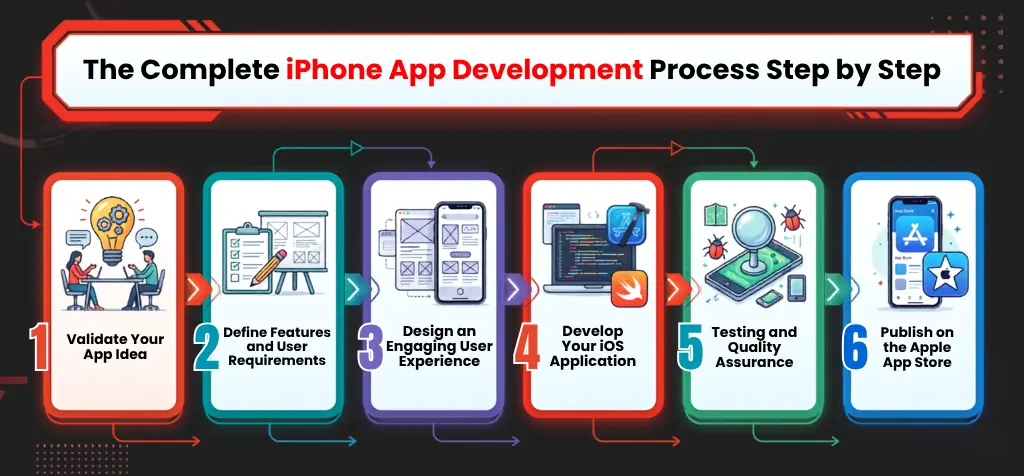
A successful application follows a structured approach from concept to launch. Understanding the iPhone app development process helps beginners avoid common mistakes and create products that meet user expectations. Many businesses also rely on professional iOS app development services to streamline each stage of development.
Step 1: Validate Your App Idea
Before writing a single line of code, focus on app idea validation. Research your target audience, study competitors, and identify gaps in the market. Effective mobile app market research helps confirm demand, understand user pain points, and reduce the risk of investing time and resources into an idea with limited potential.
Step 2: Define Features and User Requirements
Once your idea is validated, create a clear list of features and user expectations. Strong app feature planning keeps development focused and prevents unnecessary additions. Many businesses work with custom mobile app development services to document requirements, prioritize functionality, and create a roadmap for development.
Step 3: Design an Engaging User Experience
A well-designed interface encourages users to stay engaged and return regularly. Effective mobile app UI/UX design focuses on simplicity, accessibility, and smooth navigation. Following proven iPhone app design best practices helps create experiences that feel natural and consistent with Apple’s ecosystem and user expectations.
Step 4: Develop Your iOS Application
The development phase transforms designs into a working application. Swift app development is commonly used to build fast and reliable iOS applications with access to Apple’s latest features. Businesses often partner with experienced iOS app development services to ensure efficient coding, integration, and performance optimization.
Step 5: Testing and Quality Assurance
Before launch, every application should undergo thorough testing to identify bugs, usability issues, and performance concerns. Effective mobile app testing helps deliver a smooth user experience across devices. Ongoing app maintenance and support services are equally important for updates, security improvements, and long-term stability.
Step 6: Publish on the Apple App Store
The final stage involves preparing your application for release through Apple’s review process. Following an App Store submission guide helps ensure compliance with platform requirements and policies. Proper iOS app deployment includes optimizing app listings, adding screenshots, and monitoring performance after launch.
Essential Technologies Every Beginner Should Learn
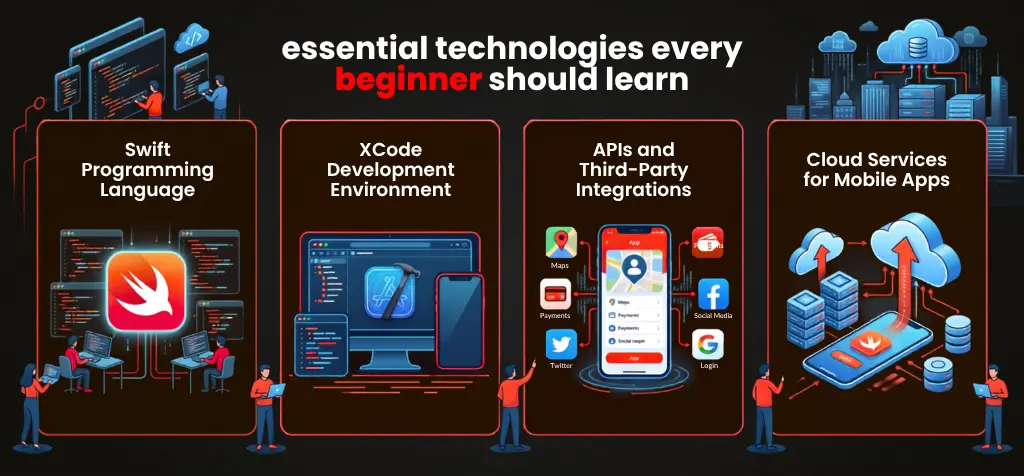
Learning a few core technologies can make the iPhone app development journey much easier. Instead of trying to master everything at once, beginners should focus on the tools and systems that form the foundation of modern iOS applications.
Swift Programming Language
Swift is Apple’s primary programming language for building iPhone applications. It is designed to be easy to learn while offering the performance needed for modern apps. Most developers begin their journey with Swift because it simplifies coding tasks and integrates seamlessly with popular iOS app development tools used across the industry.
Xcode Development Environment
Xcode is Apple’s official development environment for creating iOS applications. It provides everything needed to write code, design interfaces, test features, and fix issues in one place. For beginners, Xcode serves as the central workspace where app ideas gradually evolve into fully functional iPhone applications ready for deployment.
APIs and Third-Party Integrations
APIs allow applications to connect with external services and exchange information. Features such as payment gateways, maps, social logins, and messaging systems often rely on API integrations. Understanding how APIs work helps developers expand app functionality without building every feature from scratch, saving both time and development effort.
Cloud Services for Mobile Apps
Cloud services support data storage, user authentication, notifications, and other essential functions behind the scenes. They play an important role in mobile app backend development, helping applications manage information efficiently across devices. Businesses offering Android app development services and iOS solutions often use cloud platforms to support modern mobile experiences.
Common Challenges Beginners Face During iPhone App Development
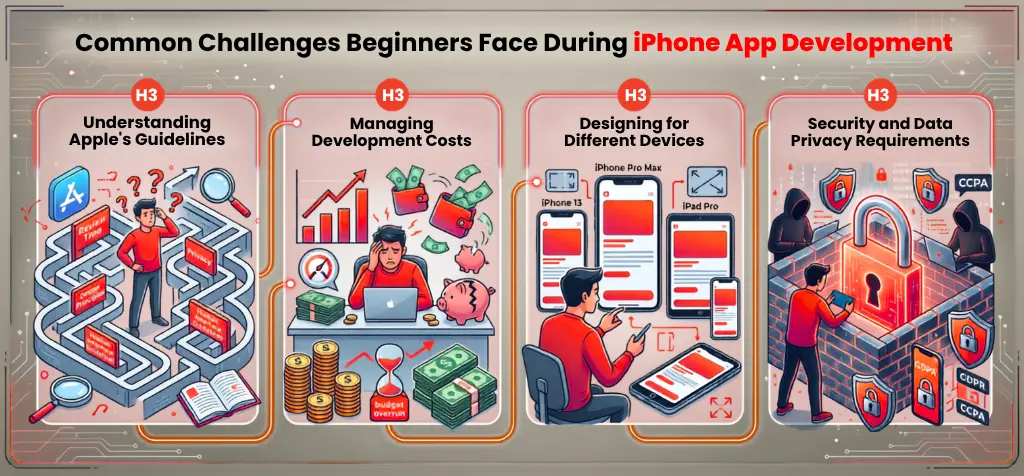
While learning iPhone app development can be exciting, beginners often face several obstacles during the development journey. Understanding these common app development challenges can help reduce mistakes, improve planning, and create a smoother path from concept to launch.
Understanding Apple’s Guidelines
Apple maintains strict review standards to ensure quality and user safety across the App Store. Beginners often struggle to understand submission requirements, content policies, and technical rules. Failing to meet these guidelines can delay approvals, making it important to review Apple’s documentation before publishing an application.
Managing Development Costs
Many first-time developers underestimate the expenses involved in app creation. Costs may include design, development, testing, App Store fees, and ongoing maintenance. Businesses comparing native development with cross-platform app development services often evaluate budget, features, and long-term requirements before choosing an approach.
Designing for Different Devices
Although iOS devices share a common ecosystem, screen sizes and hardware capabilities vary. Developers must ensure layouts, navigation, and visual elements work consistently across different iPhone and iPad models. Proper testing helps deliver a seamless user experience regardless of the device being used.
Security and Data Privacy Requirements
Protecting user information is a critical part of modern app development. Strong iOS app security practices help safeguard personal data, payment details, and user accounts. Applications that integrate advanced features through AI application development services must also handle data responsibly while complying with Apple’s privacy requirements.
How Much Does iPhone App Development Cost in 2026?
Understanding the iPhone app development cost is an important part of planning any project. The final budget depends on factors such as app complexity, design requirements, third-party integrations, security features, and testing needs. A simple application with basic functionality will generally cost less than a feature-rich business platform.
Many companies partner with custom mobile app development services to estimate costs accurately and avoid unexpected expenses during development. While every project is different, the following estimates provide a general idea of what businesses can expect to invest in 2026.
| App Type | Estimated Cost |
|---|---|
| Basic App | $10,000 to $25,000 |
| Mid-Level App | $25,000 to $60,000 |
| Enterprise App | $60,000+ |
Additional costs may include App Store fees, maintenance, updates, security improvements, and feature enhancements after launch. Planning for ongoing support helps ensure the application remains functional, secure, and compatible with future iOS updates.
Why Choose American App Coder for iOS App Development?
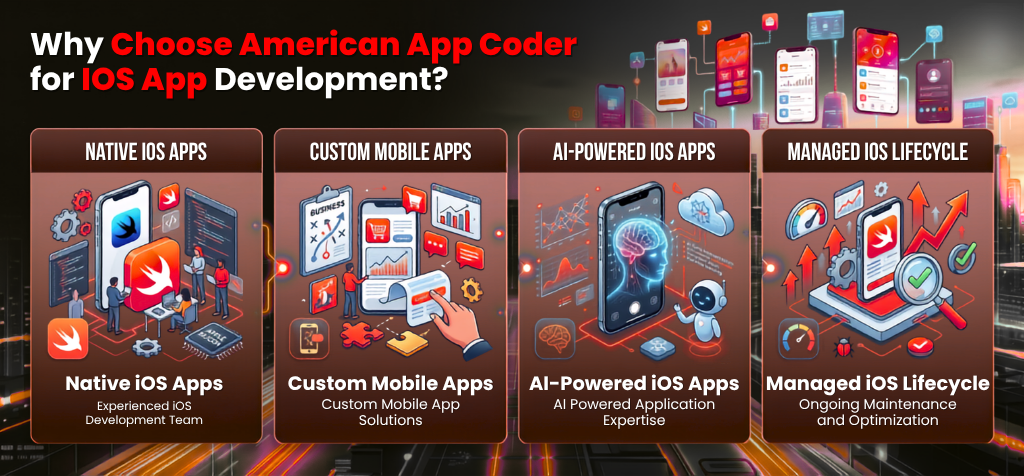
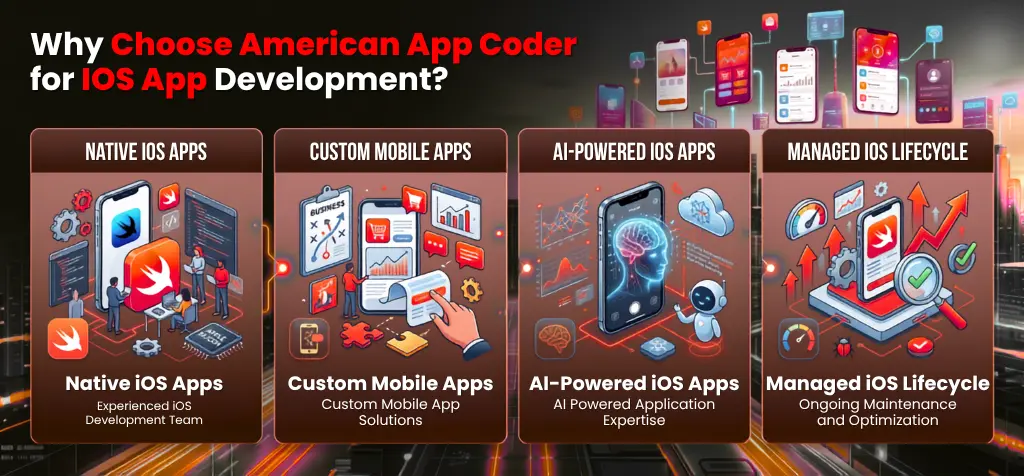
American App Coder helps businesses transform app ideas into high-performing iOS applications with expert development, transparent communication, and long term support. From planning and design to deployment and updates, our team focuses on creating iPhone applications that deliver a seamless user experience while supporting your business objectives.
Experienced iOS Development Team
Our experienced team specializes in delivering professional iOS app development services for startups, growing businesses, and enterprises. When companies need to hire mobile app developers, they look for technical expertise, industry knowledge, and clear communication. We bring all three together to help projects move from concept to launch with confidence.
Custom Mobile App Solutions
Every business has different goals, workflows, and customer expectations. Our custom mobile app development services focus on building iOS applications that align with your specific requirements. From ecommerce platforms to on-demand solutions, we create applications that support business growth while providing a smooth experience for end users.
AI-Powered Application Expertise
Modern mobile applications increasingly rely on intelligent features that improve user engagement and automate everyday tasks. Our AI application development services help businesses integrate advanced capabilities such as personalized recommendations, predictive insights, and smart automation into iOS applications while maintaining performance, usability, and reliability.
Ongoing Maintenance and Optimization
Launching an app is only the beginning of its journey. Our app maintenance and support services ensure your iOS application remains secure, updated, and compatible with the latest Apple releases. Through continuous monitoring, performance improvements, and timely updates, we help businesses keep their applications running smoothly over time.
Final Thoughts
Getting started with iOS app development for beginners may seem challenging at first, but every successful app begins with learning the fundamentals. By understanding the development process, mastering tools like Swift and Xcode, and following industry best practices, you can build a strong foundation for creating high-quality iPhone applications. As the demand for mobile solutions continues to grow, there are more opportunities than ever to turn innovative ideas into successful products.
Whether you are planning to develop your first app or bring a business concept to life, having the right guidance can make a significant difference. At American App Coder, our expert iOS app development services help businesses and entrepreneurs transform ideas into powerful iPhone applications.
Frequently Asked Questions
Not at all. With tools like Swift and Xcode, beginners can learn step by step and start building simple applications quickly.
No. Basic programming knowledge helps, but many new developers begin with tutorials, courses, and hands on practice.
Swift is Apple’s primary programming language for iPhone app development. It is beginner friendly and widely used across iOS projects.
A simple app may take a few weeks, while more advanced applications can require several months of development and testing.
Native development offers better performance and access to Apple features, while cross-platform development can reduce development time for multiple platforms.
Costs vary based on features, design, and complexity. Basic apps may cost a few thousand dollars, while larger projects require a bigger investment.